Tribes 2 Tweak Guide (Page 5/6)
Posted: May 12, 2001
Written by: Dustin "TimmyC" Jones
Tweaking - Texture Settings (cont.)
Anisotropy: Anisotropy is a higher quality texture filter than Bilinear and Trilinear filtering, and if your card
supports it, can make textures much clearer and reduce the 'banding' appearance. Any card that is GeForce
256 and beyond will usually support Anistropic filtering, and while it takes a lot of extra speed to use the
max amount of filtering, it's really nice looking.
Environment Maps: Environment maps are a funky little eye-candy feature that when applied to surfaces,
take the world around it and reflect it. While it is a neat thing to look at, if you're actually playing the game
and not picking your nose, environment maps are kind of useless and just sap valuable resources.
Interior Env. Maps: Same thing as above, but indoors!
Since we're on the topic of textures, you should also know, much like Unreal Tournament, there
are higher resolution model textures on the Tribes 2 CD, which can make your character look much nicer.
Fileplanet has a great little batch program, which makes installing the textures pretty easy. Otherwise, you'd
have to delete a whole bunch of _512's from the filenames.
That section is complete. How about we move on to sound now?
Tweaking - Sound
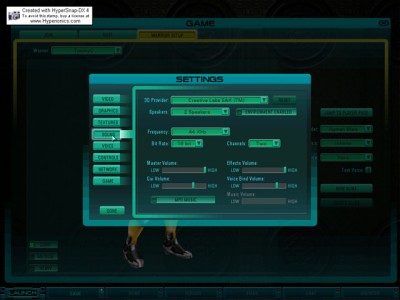
3D Provider: This selects your 3D sound driver/provider if your card supports 3D audio.
Speakers: This simply optimizes the sound output for the type of speaker setup you have.
Frequency: This changes the sound quality. I see no reason why you shouldn't have this set to 44KHz, unless you have an extremely slow system and/or cheap sound card.
Master Volume: This one should be pretty obvious. The master game volume control.
Effects Volume: The volume level of the sound effects
GUI Volume: The volume of the menus, e.g. clicking buttons and selecting menus.
Voice Bind Volume: The volume of the voices in the game, like when you say "Shazbot!" :)
MP3 Music: This toggles the in-game music, which happens to be MP3.
Music Volume: Duh.
Next Page