Tribes 2 Tweak Guide (Page 2/6)
Posted: May 12, 2001
Written by: Dustin "TimmyC" Jones
Tweaking
Now that your system is updated, how about we check out a couple key settings located in your
ClientPrefs.cs file? Go to your Tribes 2 Directory, GameData, base, prefs and open ClientPrefs.cs with
notepad (drag it to a notepad window if you have problems).
Scroll down and look for both $pref::Decal::decalTimeout = ""; and $pref::Decal::maxNumDecals
= ""; . These two settings can help you save a lot of memory on decals, the burns, bullet holes and various
other marks, which are left on the surfaces of the game world. While they seem like just small effects, they
can take a lot of memory after a while.
$pref::Decal::decalTimeout sets the amount of time, in milliseconds which decals will stay in the game
world. The lower the number, the faster they disappear. Ex. $pref::Decal::decalTimeout = "2000";
$pref::Decal::maxNumDecals sets the maximum amount of decals allowed to be rendered in the game
world. The lower the number, the less you see decals, but the more memory you save. If you wanted to,
you could disable decals altogether and save a lot of memory. Ex. $pref::Decal::maxNumDecals = "100";
That's pretty much all that is useful that is not in the Tribes 2 menu itself, so get acquainted with your
tweaking friend, the settings menu. Just click the Launch button in the left, bottom corner and select
settings.
Thankfully for us, Dynamix included lots of different menus and packed them with lots of great
settings, so it's very easy to tweak; just click.
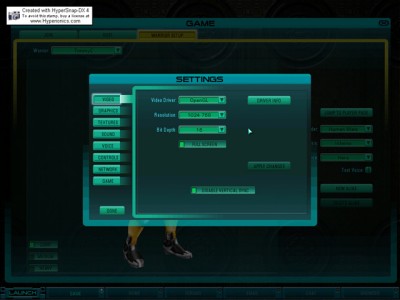
Lets start with the first menu: the Video menu. There isn't much in this section besides the basic
options. For the Video Driver part, it's pretty straight forward. If you own an ATI Radeon or an Nvidia card,
pick OpenGL (That may be all that comes up anyway). If you own a 3DFX card, pick Direct3D. Honestly,
there's nothing in here that the average computer user doesn't know, maybe with the exception of disable
vertical sync. If you're unsure on what vertical sync is, I'll explain it. Vertical sync (Vsync) is what is used to
'cap' the frame rate, so it runs no higher than your monitor's refresh rate. While it seems like a good idea,
disabling Vsync can sometimes cause image tearing and other odd effects with your monitor. The best idea
is to try disabling it and if you see any problems, just enable it. If you're benchmarking your system, disabling Vsync is a must.
Next Page