No One Lives Forever (NOLF) Tweak Guide (Page 3/5)
Posted: December 12, 2000
Written by: Tuan "Solace" Nguyen
Advanced Options (cont.)
Joystick and Mouse
If you are having trouble loading No One Lives Forever, it may not be your system. If you have a joystick connected to your computer, this (of all things) may be the culprit. Some joysticks cause NOLF to lock up and crash. If you’re experiencing trouble, try checking the Disable Joystick option to see what happens. Beyond that, there could be any number of things affecting your system stability. If you disable joystick support and are still having problems running the game, try hitting the message boards. Someone may be able to help you out with your problems.
Disable Hardware mouse will prevent your computer from hardware accelerating your mouse. This will lower smoothness and may sometimes cause stuttering. It’s best left unchecked since your computer doesn’t slow down by moving your mouse. Let’s check out Triple Buffering...
Triple Buffering
Triple Buffering will allocate a third frame buffer. This frame buffer can increase performance by enabling the hardware to render at the same time that the 3D application performs other tasks. However, the additional frame buffer required for this uses up video memory that could otherwise be used for storing textures. Enabling Triple Buffering could hurt the performance of your 3D applications that use a lot of textures... Most AGP video cards benefit from this feature, but turning it on can cause lockups on some PCI cards. Try disabling and enabling it to see what kind of performance you can get.
If you’re using Triple Buffering, I recommend you leave it alone (assuming you aren't experiencing problems). If you’re not using it, make sure to give it a try. Since No One Lives Forever uses a lot of textures, you’ll most likely benefit from the option.
Advanced Display Options
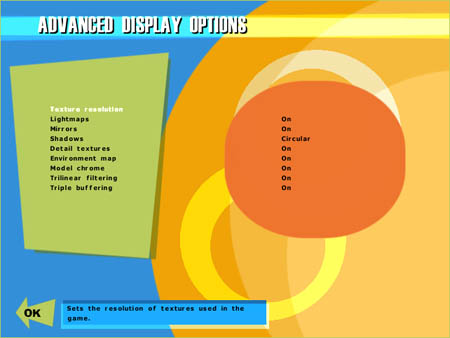
Advanced Display Options
Within this option you have the free will to customize how No One Lives Forever will look. The first setting is Texture Resolution. With this option you can set texture sizes to things such as characters, sky, environment, etc. The higher the resolution the more detailed objects will look.
Click for images to enlarge
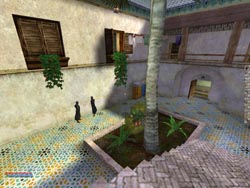

High Resolution Textures Low Resolution Textures
High resolution textures are supported by a 3dfx Voodoo4 and higher, and in the NVIDIA arena, anything from a TNT2 to a GeForce2 will support large textures. The higher you set your textures, the slower the performance you'll usually see. This is because large textures take up a considerable amount of video memory. I recommend setting everything to medium or lower if you have a 32MB video card. If you have one of the many high-end 64+MB cards on the market, feel free to max out the settings. The setting called Detail Textures goes in conjunction with the above option and gives you either low resolution or high resolution textures.
Next Page