Ultima PC: Issue 1 (Page 12/14)
Posted: July 29, 2000
Written by: Tuan "Solace" Nguyen
The Zip [ Iomega Zip 250 SCSI Internal: $ 159.00 ]
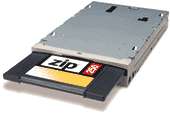
There are almost 3 million Zip drives out there and growing. This ubiquitous drive is a must have. You’re bound to bump into someone with a Zip drive. This drive is absolutely better than a 1.44MB floppy joke. First of all, this machine can use this drive as its floppy boot drive. So just format a Zip disk to make it bootable and you can add tons of stuff to it like drives and backup files. You can’t do that with a 1.44MB disk. And besides, since it has a SCSI interface, it’ll work like a charm.
Alternative Solutions: LS-120 Super Disk
The Super Disk isn’t as popular as the Zip drive. We don’t really recommend it. But if you really have to have the standard A: drive, you may want to give some thought to the Super Disk. That way you can read all your older 1.44MB disks and have the extra LS-120 disks to store about 120MB per disk.
What’s left? Keyboard and pointing device.
The Keystroke [ KeyTronic LifeTime Designer Keyboard $ 38.00 ]
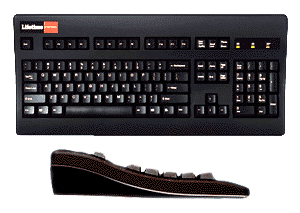
KeyTronic is a brand known for excellent keyboards. And the LifeTime Designer is no exception. Tested for 20 million keystrokes, this baby should outlast everyone but the most diehard fragger. It’s sleek, black and has a nice curve to it just to let your hands relax.
We decided to leave the "net" keyboards alone. Sure, they offer quick shortcut buttons but those buttons are controlled by an applet, which in our mind detracts from system performance. They just suck. And you rarely find yourself using anything else besides the volume control.
The LifeTime also has a sturdy but soft touch to it and responds very nicely to the touch. It doesn’t click loudly but still gives a tactile feedback when you press down a key. And most importantly, the print on the keys doesn’t wear out over time. Time for some WASD action.
Alternative Solutions: Any other keyboard you like having...
That pretty much says what I mean. Let’s move onto the mouse.
The Critter [ Microsoft IntelliMouse USB: $ 20.00 ]
Everyone knows this mouse. It’s the standard Microsoft IntelliMouse. It has a tactile wheel that rolls nicely and presses down on nicely as well. And it comes USB compliant. Why did we choose USB over PS/2? That’s because USB has a higher refresh rate than the PS/2 port. I find that my USB IntelliMouse glides smoother than my PS/2 IntelliMouse.
Why didn’t we go for the IntelliMouse Explorer Pro with optical sensor? That’s because that mouse really sucks in games. You’ll likely be using this machine for mayhem gaming. But if you’re a graphics freak and rarely play first person shooter games, then the IntelliMouse Explorer Pro is for you.
Alternative Solutions: Microsoft IntelliMouse Explorer Pro
Next Page